Mac · iPhone · iPad · Android · Android TV

Your playlist.
Every screen.

Fluvo IPTV is the easiest way to watch your own IPTV playlist with a clean, cinematic experience. Live TV, a TV guide, movies and series — all in one fast, ad-free app.

Fluvo IPTV is only a player; it does not provide any content.

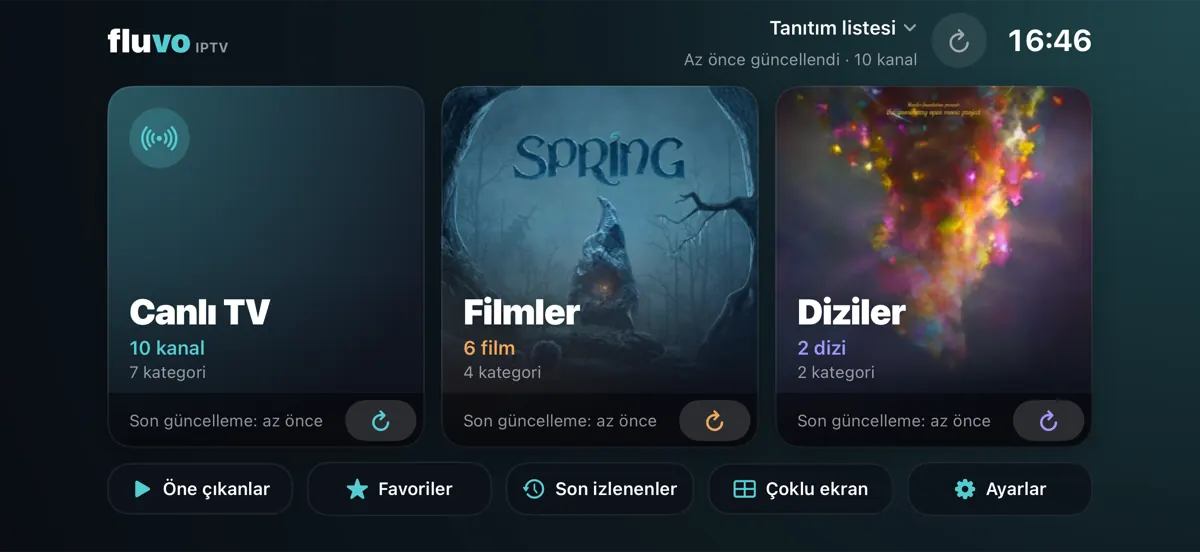
Fluvo IPTV home screen on iPhone

Platforms

One app for every screen at home

Built for each device: keyboard shortcuts on Mac, touch gestures on phones, and comfortable remote navigation on TV.

  • macOS

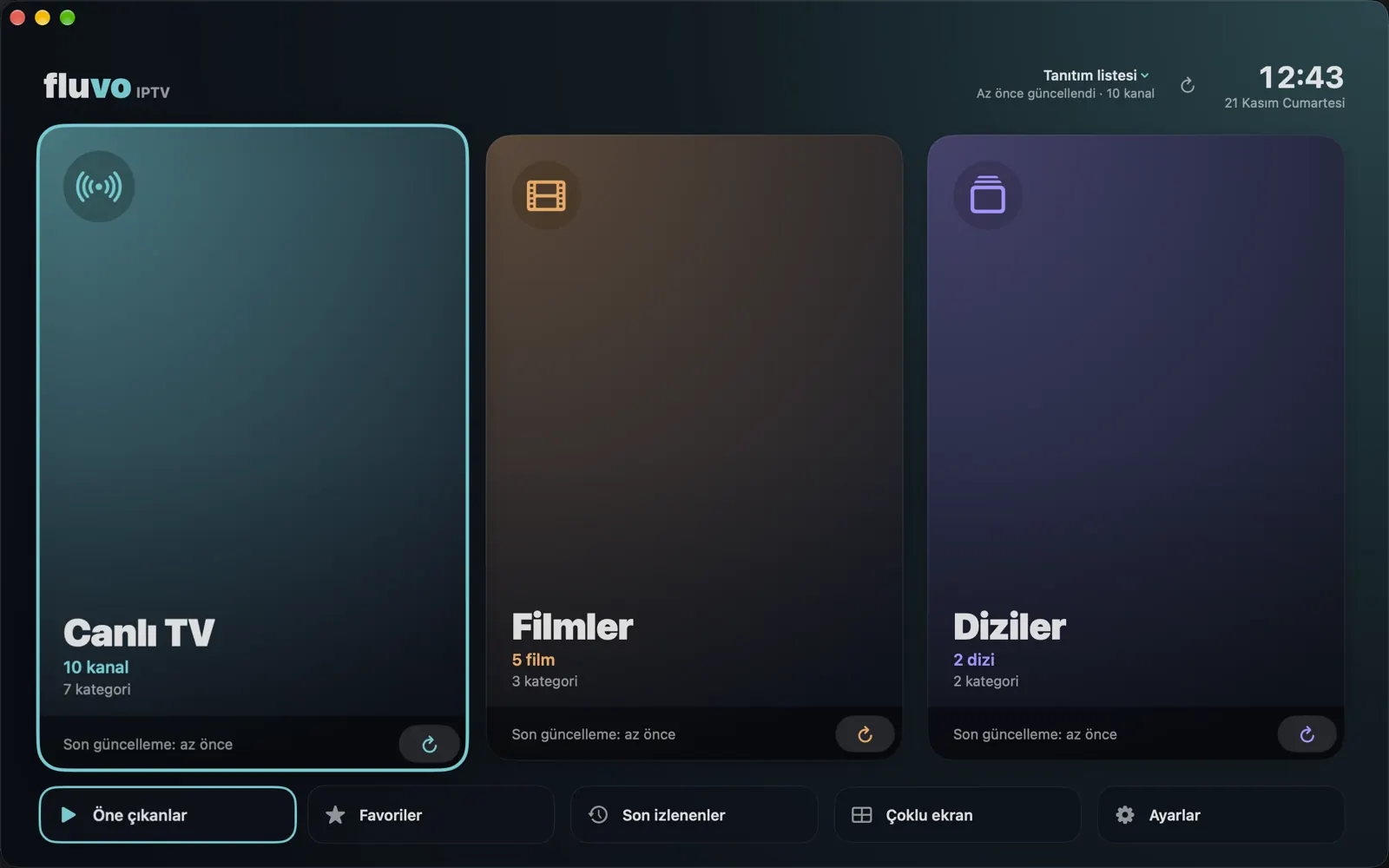
    macOS 14 or later. Keyboard shortcuts, multi-view, picture in picture.

    Available
  • iPhone & iPad

    iOS / iPadOS 17 or later. Mini player, AirPlay, picture in picture.

    Coming to the App Store
  • Android phone & tablet

    Android 8.0 or later. Works great on foldables too.

    Available
  • Android TV

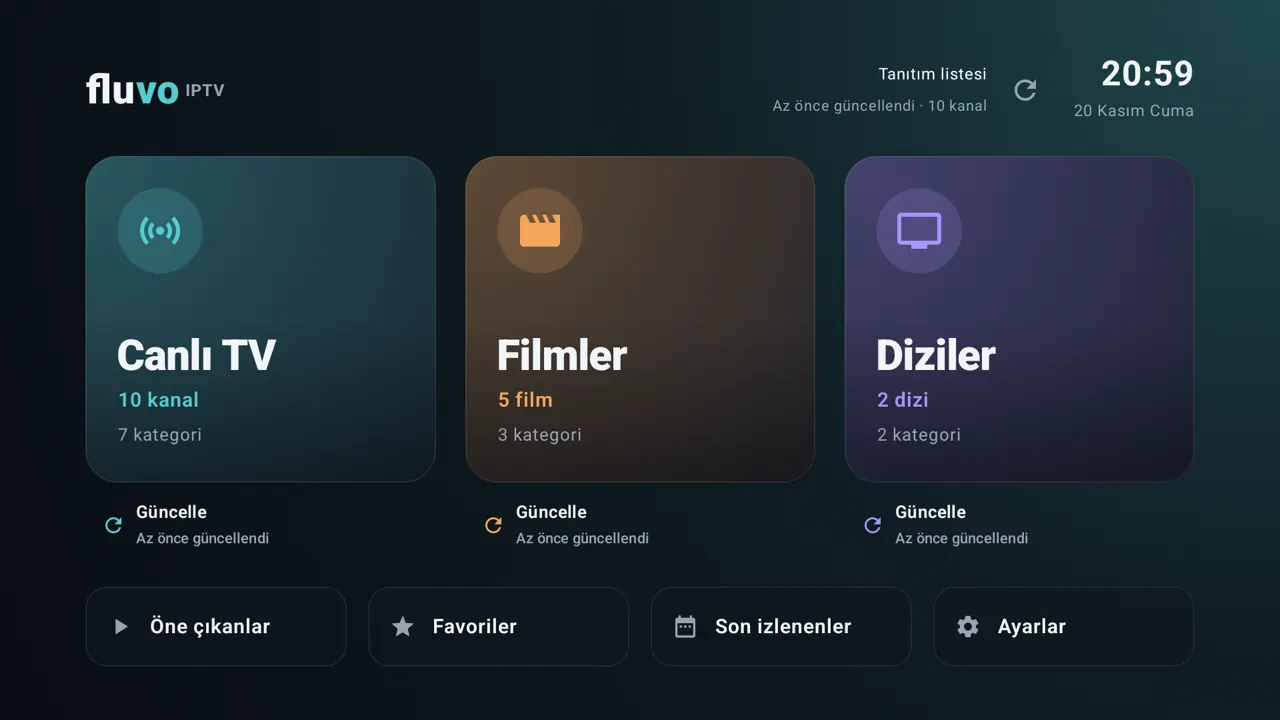
    Designed for the remote: large cards and a clear focus frame.

    Available

Features

Everything you need to watch

No complicated menus. Add your playlist and let Fluvo take care of the rest.

Live TV and TV guide

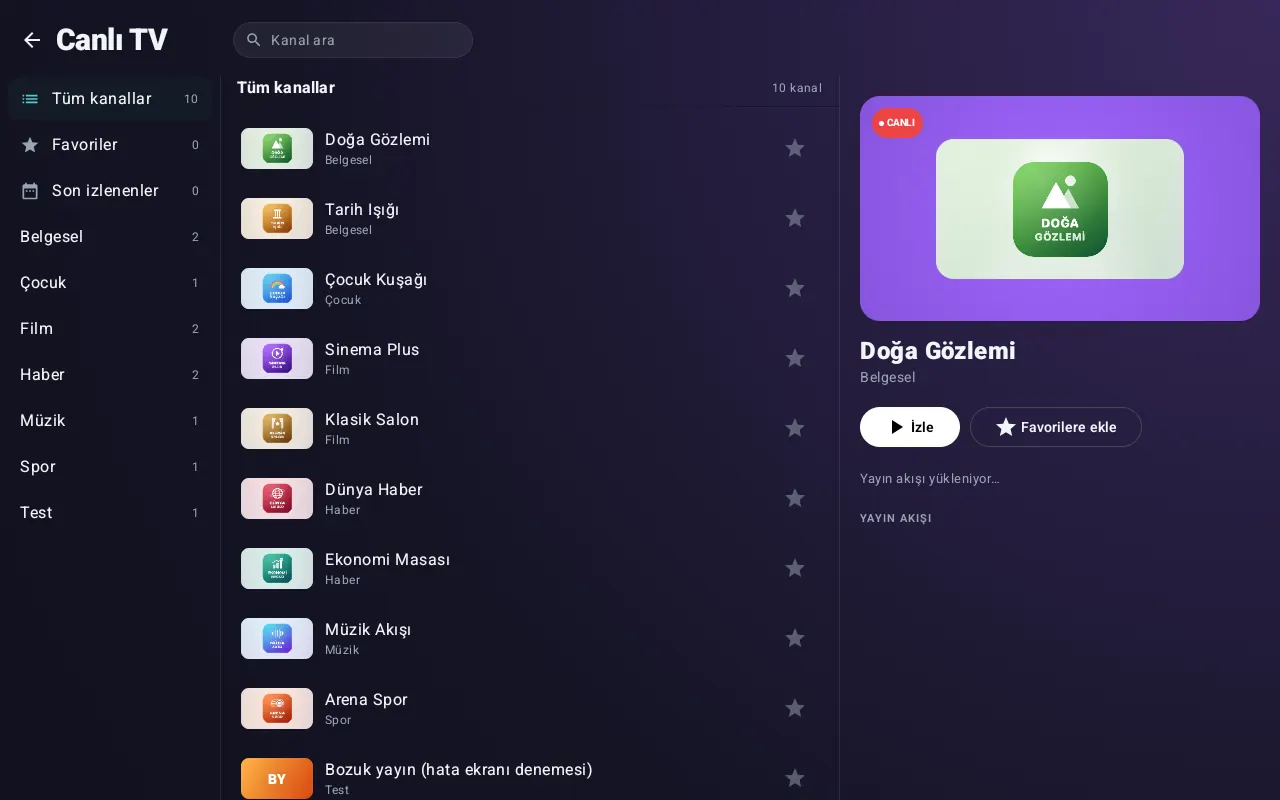
Find channels in seconds with categories, search and now/next info. TV guide (EPG) and catch-up are supported.

Pick up where you left off

Your position in movies and episodes is saved. Season and episode picker, autoplay next episode.

Multi-view

Watch up to four streams at once. Six layouts; audio comes from the window you pick.

Xtream and M3U support

Xtream Codes account, M3U link or M3U file. Add several playlists and switch between them.

MKV, AVI and more

Automatically switches to the built-in VLC engine for files your device can’t play. Audio and subtitle selection, automatic subtitles.

Parental controls

Lock or hide categories with a PIN. Kids only see what you allow.

Favorites and recently watched

Save the channels, movies and series you love with one tap; what you watched last is always at hand.

Picture in picture

Switch to another app and the stream keeps playing in a small window.

And more

  • Login details are stored encrypted on your device
  • Turkish interface today; English coming soon
  • Automatic reconnect if the connection drops
  • Subtitle size, color and background
  • Playback speed and aspect ratio
  • Seven accent colors, seven dark themes
  • Cached playlists: instant start
  • Subscription expiry and connection count

Screens

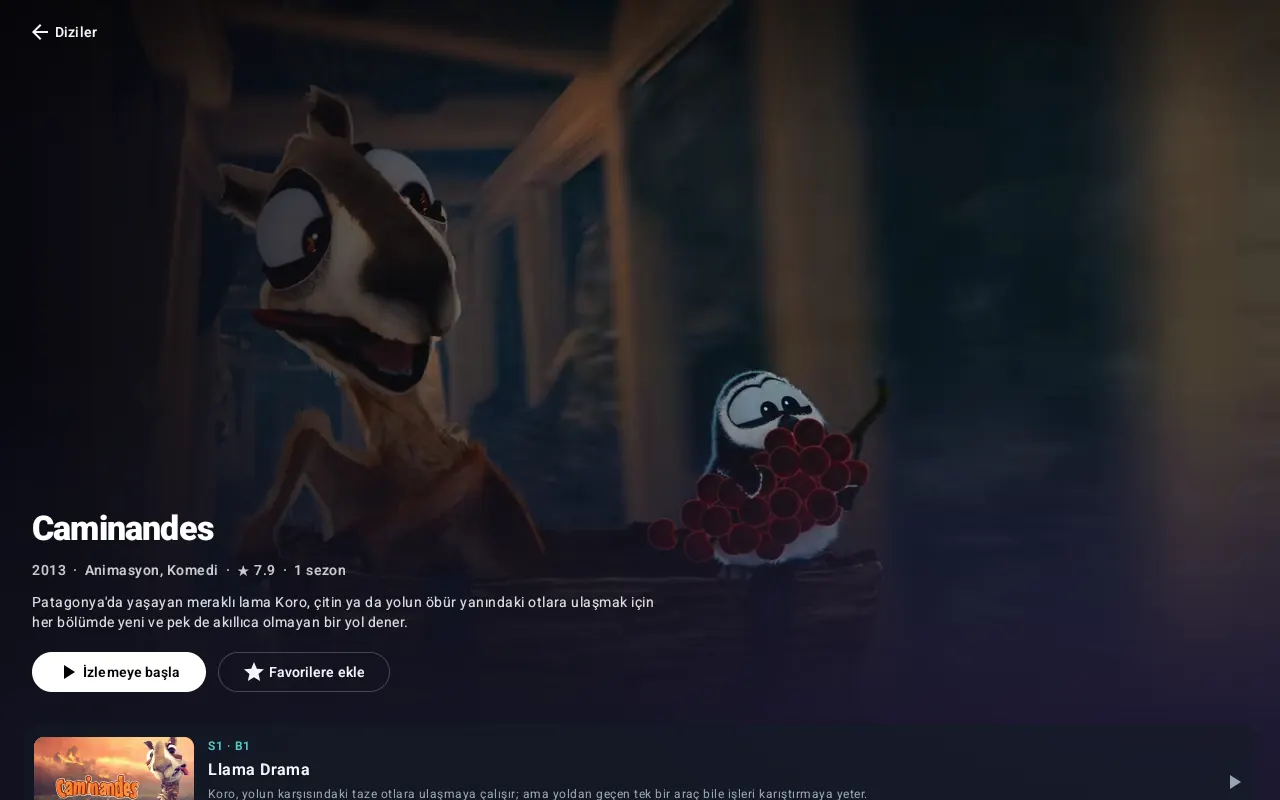
A calm, cinematic design

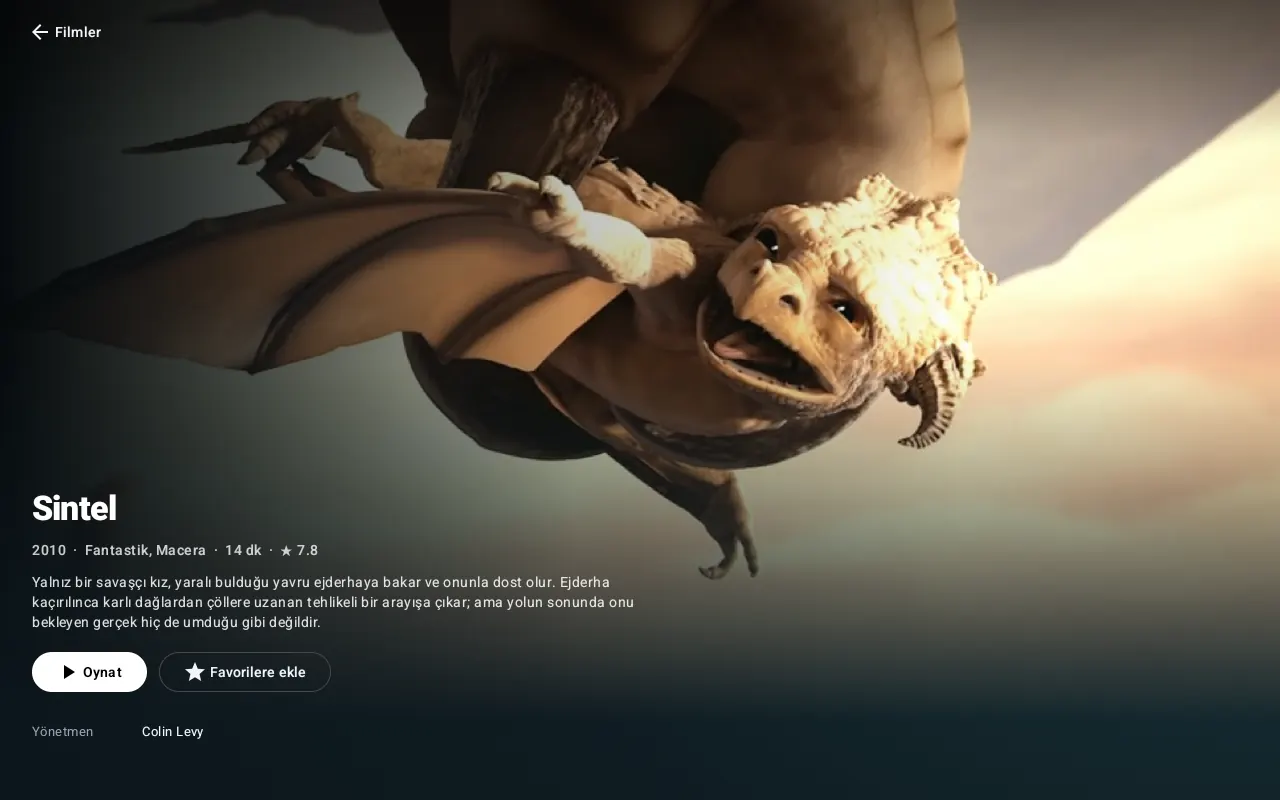
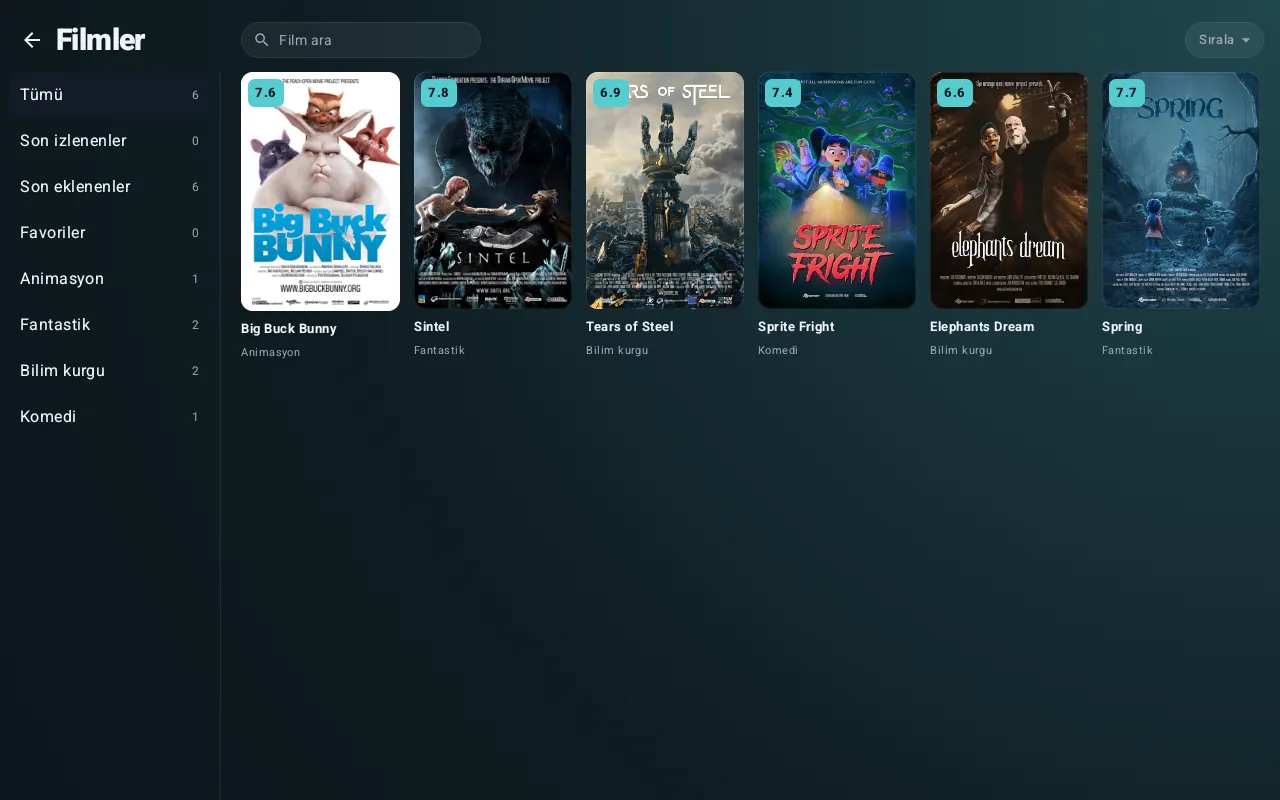
Screenshots come from the app’s demo playlist: openly licensed Blender films and fictional channels drawn for Fluvo. The app interface is currently in Turkish.
How it works

Start watching in three steps

  1. Download

    Download and install the version for your device below.

  2. Add your playlist

    Enter the Xtream details or M3U link from your provider.

  3. Enjoy

    Channels, movies and series are organized automatically.

No playlist yet? Try every screen with the built-in demo playlist — nothing to add.

Download

Get Fluvo IPTV now

Free. No ads, no account needed.

macOS

macOS 14 or later
Version 0.7.1

Download for Mac

If you see a warning on first launch: right-click the app → Open.

Android phone & tablet

Android 8.0 or later
Version 1.17.1

Phone / Tablet APK

You’ll need to allow “install unknown apps” once during installation.

Android TV

Android TV 8.0 or later
Version 1.17.1

Android TV APK

Copy the APK to your TV with a USB stick or a file-sending app.

iPhone & iPad

iOS / iPadOS 17 or later

Coming to the App Store

We’ll announce it here once it passes App Store review.

Older release files (GitHub) →

What’s new

Release notes

What changed in each update, platform by platform.

Android · TV

  1. Version 1.17.1 Latest
    • Channel logos now scroll in slanted ribbons on the Live TV card on the home screen, at different speeds and in opposite directions.
    • Your favorite and recently watched channels come first, then channels from different categories; each logo appears only once.
    • The ribbons stop when animations are turned off on your device.
  2. Version 1.16.4
    • TV: You can move to the Episodes strip in the player with the remote and pick an episode; the selected card shows a frame.
    • TV: The Back button works with a single press — it closes the open strip or panel first, then the controls, then leaves the player.
  3. Version 1.16.3
    • Season picker in the player’s episode strip: switch seasons in multi-season series; the playing season is marked.
    • The episode strip has a darker background for easier reading.
Earlier versions (3)
  1. Version 1.16.2
    • Second playback engine (VLC): files that can’t be seeked or opened switch to VLC automatically; you can also choose it in the player panel.
    • Seeking fix for series: your position is kept when the connection hiccups.
    • Separate, smaller APK files for phone/tablet and TV.
    • ±10 s buttons moved closer to the edges; double-tap seeking shows only the seek indicator.
  2. Version 1.15.5
    • Fixed seeking being interrupted on slow servers: playback waits while data arrives and only reconnects after 12 s with no data.
  3. Version 1.15.4
    • When a stream drops, only a loading spinner is shown; controls no longer pop up by themselves after reconnecting.
    • After 5 failed attempts, a clear error with a “Try again” button appears.

Mac

  1. Version 0.7.1 Latest
    • Channel logos now scroll in slanted ribbons on the Live TV card on the home screen; tiles shrink in narrow windows.
    • Your favorite and recently watched channels come first, then channels from different categories; each logo appears only once.
    • The ribbons stop when “Reduce motion” is turned on.
  2. Version 0.6.9
    • Season picker in the player’s episode strip; the playing season is marked.
    • The episode strip has a darker background for easier reading.
  3. Version 0.6.8
    • The episode strip is as tall as its cards.
    • Esc or clicking the video closes the strip and channel panel; the player stays open.
Earlier versions (3)
  1. Version 0.6.7
    • Favorites and Recently watched added to the Live TV category column; clear Recently watched in one go.
  2. Version 0.6.6
    • Fixed seeking being interrupted on slow servers; also applies to files opened with VLC.
  3. Version 0.6.5
    • When a stream drops, only a loading spinner is shown; controls no longer pop up by themselves after reconnecting.

iPhone · iPad

Once the iPhone & iPad app is on the App Store, its versions will be listed here.

  1. Pre-release Latest
    • Scrolling channel-logo ribbons on the Live TV card on the home screen.
    • Season picker in the player’s episode strip; on iPad the strip is as tall as its cards.
    • Favorites and Recently watched in the Live TV category column.
  2. Pre-release
    • Automatic reconnect when a stream drops, and a seeking fix for slow servers.
    • ±10 s buttons moved closer to the edges; double-tap seeking shows only the seek indicator.

FAQ

Frequently asked questions

Does Fluvo IPTV provide channels or content?

No. Fluvo IPTV is only a player. It does not sell or recommend content, channel lists or subscriptions. To watch, you add your own legal source.

Is it free?

Yes. The app is free and has no ads.

Is the app available in English?

The app interface is currently in Turkish. English and more languages are planned and will be announced here.
Which playlist types are supported?

Xtream Codes (server address, username, password), M3U / M3U8 links and M3U files. You can also add an extra XMLTV guide URL.

Are my login details safe?

Yes. Your username and password are stored only on your device, encrypted (Apple Keychain / Android Keystore). Fluvo runs no servers; your details are never sent anywhere.

Does it play MKV or AVI files?

Yes. For files your device’s built-in player can’t open, Fluvo automatically switches to its built-in VLC engine.

How do I install it on Android TV?

Download the Android TV APK and copy it to your TV with a USB stick or a file-sending app. Open it with a file manager on the TV and install; the first time you’ll be asked to allow unknown apps.

When is the iPhone & iPad version coming?

The app is ready; it will be released after App Store review and announced on this page.

Can I try it without a playlist?

Yes. The built-in “Demo playlist” lets you try every screen with openly licensed films and fictional channels.